Apple CarPlay & Android Auto Guide 2026
Apple CarPlay and Android Auto guide 2026: setup, wireless vs wired, troubleshooting, which cars have it, and the best apps — plus what to do if your car does
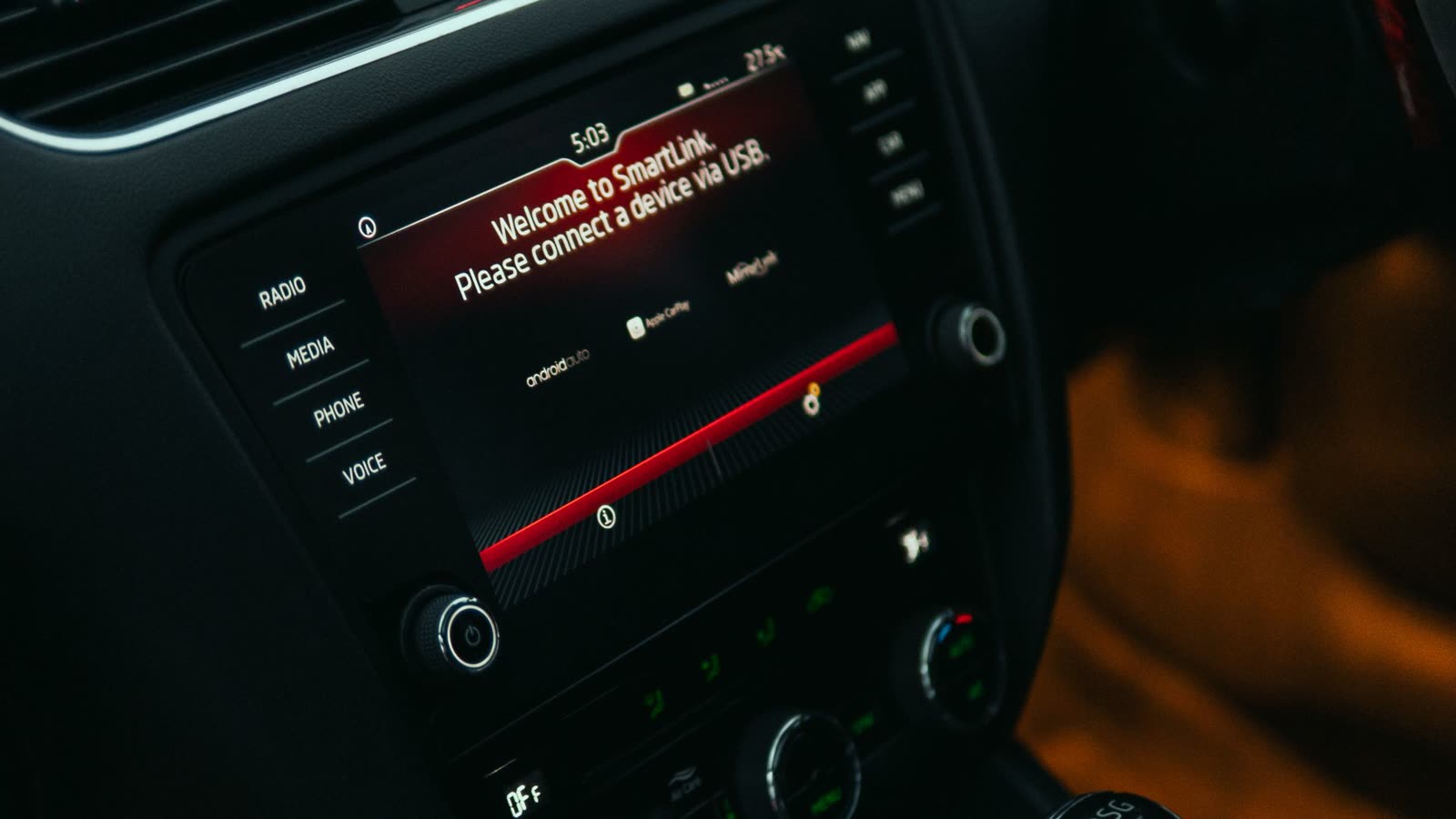
Photo: Pexels
What CarPlay and Android Auto do
Apple CarPlay and Android Auto mirror your phone's most useful apps onto your car's touchscreen, so you can use navigation, music, messages, and calls without handling your phone. CarPlay works with iPhones, Android Auto works with Android phones, and both are designed to be safer than using the phone directly — larger buttons, voice control, and a simplified interface that keeps your eyes on the road.
CarPlay and Android Auto replace the car's built-in navigation and music systems with the apps you already know. Google Maps and Waze offer live traffic and better routing than most built-in systems, Spotify and Apple Music stream your playlists, and Siri or Google Assistant reads your messages aloud and lets you reply by voice. The experience is consistent across cars, which is why many buyers now treat CarPlay and Android Auto as must-have features.
Both systems are free — they are included with the car, and they use your phone's data plan. There is no subscription fee, and updates come through your phone, not the car. A five-year-old car with CarPlay still gets the latest maps and features, because the phone does the work.
Wired vs wireless: which is better
Wired CarPlay and Android Auto connect through a USB cable, and they are the most reliable option. The connection is stable, the phone charges while you drive, and there is no lag. The downside is the cable — you must plug in every time you get in the car, and the cable can wear out or come loose. Most cars with wired-only CarPlay have a USB-A port, so you may need a USB-A to USB-C cable for a modern phone.
Wireless CarPlay and Android Auto connect over Wi-Fi and Bluetooth, so your phone stays in your pocket. It is more convenient, but it can be less reliable — connections sometimes drop, and there can be a slight delay when you press a button. Wireless also drains the phone battery faster, since the phone is not charging, so a wireless charging pad in the car is a useful companion.
Most new cars in 2026 offer wireless CarPlay and Android Auto, though some brands still offer wired only on base trims. Tesla is the notable exception — it does not offer CarPlay or Android Auto at all, relying on its own built-in system. General Motors has also removed CarPlay and Android Auto from its new electric vehicles, including the Chevrolet Equinox EV, which is a real drawback for many buyers.
How to set up CarPlay and Android Auto
For wired CarPlay, plug your iPhone into the car's USB port with a certified Lightning or USB-C cable, and the car should prompt you to allow CarPlay. Tap Allow on the phone, and CarPlay appears on the car's screen. For wireless CarPlay, go to Settings, then General, then CarPlay on your iPhone, and select your car from the list. The car and the phone pair over Bluetooth, and CarPlay connects automatically from then on.
For Android Auto, download the Android Auto app from the Google Play Store if it is not already installed, plug the phone into the car's USB port, and follow the prompts. For wireless Android Auto, enable Bluetooth and Wi-Fi on the phone, and the car should detect it automatically. The first setup takes about two minutes, and after that, the phone connects automatically when you start the car.
If CarPlay or Android Auto does not appear, check three things: the cable, the USB port, and the phone settings. Use a certified cable — cheap cables often fail. Try a different USB port, since some ports are charge-only and do not support data. And check that CarPlay or Android Auto is enabled in the phone's settings, and that the car is not in a restricted mode.
The best apps for CarPlay and Android Auto
For navigation, Google Maps and Waze are the best choices. Google Maps offers the most accurate traffic data and the best search, while Waze offers crowd-sourced alerts for police, hazards, and speed cameras. Apple Maps is a solid third option on CarPlay, with good integration and a clean interface. All three are far better than most built-in navigation systems.
For music, Spotify, Apple Music, and YouTube Music all work well, with large touch targets and voice control. For podcasts, Overcast and Pocket Casts are the best choices on CarPlay, and Google Podcasts works well on Android Auto. For messaging, WhatsApp, Telegram, and the built-in Messages app all support voice replies, so you can answer a text without touching your phone.
For electric cars, PlugShare and ChargePoint show nearby charging stations and their availability, and A Better Routeplanner plans road trips with charging stops. For fuel, GasBuddy shows the cheapest gas stations nearby. These apps make CarPlay and Android Auto genuinely useful, not just a phone mirror.
Troubleshooting common problems
If CarPlay or Android Auto keeps disconnecting, the cable is the most likely culprit. Use a certified Apple or Google cable, and replace it if it is frayed or bent. If the problem persists with a good cable, try a different USB port, restart the phone, and check for a software update on both the phone and the car. A factory reset of the car's infotainment system is a last resort.
If the screen is blank or frozen, restart the car's infotainment system — most cars have a reset combination, usually holding the power button for 10 seconds. If that does not work, restart the phone, and check that the phone's operating system is up to date. CarPlay and Android Auto bugs are often fixed by a phone update, not a car update.
If the audio is out of sync or the voice assistant does not respond, check the Bluetooth connection. CarPlay and Android Auto use Bluetooth for the initial handshake, and a corrupted Bluetooth pairing can cause problems. Forget the car in the phone's Bluetooth settings, forget the phone in the car's settings, and pair them again from scratch.
What if your car does not have CarPlay or Android Auto
If your car is too old for CarPlay or Android Auto, you have options. An aftermarket head unit from Pioneer, Kenwood, or Alpine costs $300 to $700 plus $150 to $300 for installation, and it adds wireless CarPlay and Android Auto to almost any car. The installation is straightforward for a professional, and it transforms an old car's technology.
A cheaper option is a phone mount and a Bluetooth connection. A good dashboard or vent mount costs $20 to $30, and Bluetooth audio lets you hear navigation and music through the car's speakers. It is not as seamless as CarPlay, but it is safe and it works. A mount that positions the phone at eye level, near the windshield, is the safest option.
Before you buy a new car, check whether it offers CarPlay and Android Auto, and whether it is wired or wireless. It is a feature that affects your daily driving experience more than almost any other, and it is worth confirming before you sign. If a car does not offer it — as with Tesla and some GM electric vehicles — make sure you are comfortable with the built-in system before you commit.
Frequently asked questions
What is the difference between Apple CarPlay and Android Auto?
CarPlay works with iPhones and Android Auto works with Android phones. They do the same job — mirroring your phone's navigation, music, messages, and calls onto the car's touchscreen — but with different interfaces and apps. CarPlay uses Siri and Apple Maps, while Android Auto uses Google Assistant and Google Maps.
Is Apple CarPlay free?
Yes. CarPlay and Android Auto are free — they are included with the car, and they use your phone's data plan. There is no subscription fee, and updates come through your phone. Some cars charge for a built-in navigation subscription, but CarPlay and Android Auto are always free.
Do I need a cable for CarPlay?
It depends on the car. Wired CarPlay requires a USB cable, while wireless CarPlay connects over Wi-Fi and Bluetooth. Most new cars in 2026 offer wireless CarPlay, but some base trims are wired-only. A certified cable is essential for wired CarPlay — cheap cables often fail.
Why does my CarPlay keep disconnecting?
The cable is the most common cause. Use a certified Apple or Google cable, try a different USB port, and restart your phone. If the problem persists, check for a software update on the phone and the car, and try forgetting and re-pairing the Bluetooth connection.
Can I add CarPlay to an older car?
Yes. An aftermarket head unit from Pioneer, Kenwood, or Alpine costs $300 to $700 plus $150 to $300 for installation, and it adds wireless CarPlay and Android Auto to almost any car. A cheaper option is a phone mount with a Bluetooth connection, which costs $20 to $30.
Which cars do not have Apple CarPlay?
Tesla does not offer CarPlay or Android Auto on any model, and General Motors has removed it from its new electric vehicles, including the Chevrolet Equinox EV. Most other manufacturers offer CarPlay and Android Auto on nearly every model, though some base trims are wired-only.
Car prices and estimates on this page change often and are based on public information available in November 2026. Always verify the price, features and availability with a dealer before you buy. This article is for general information only and is not financial advice. Read the full Disclaimer.